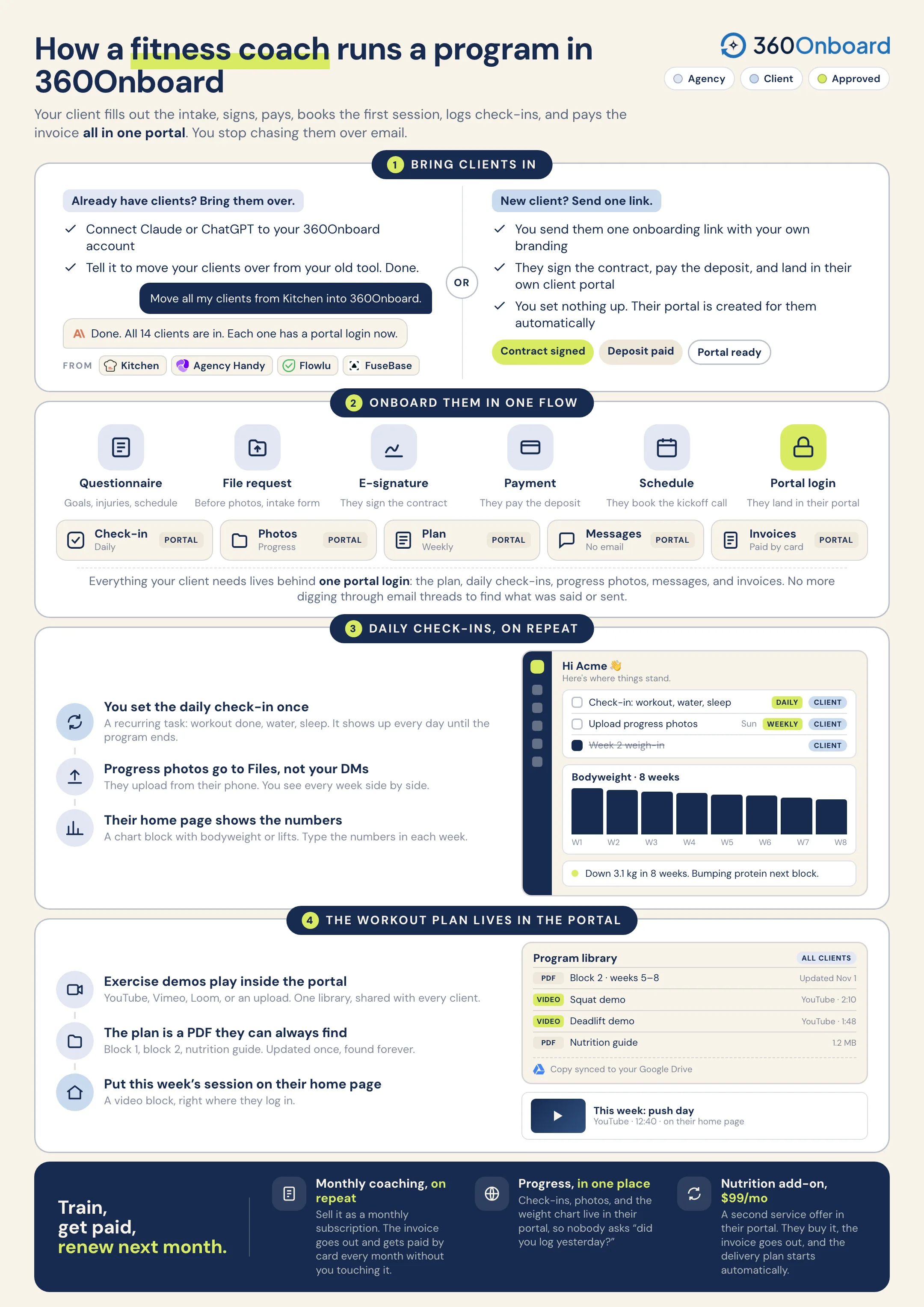
Onboard each client in one flow, set daily check-ins and weekly progress photos as recurring tasks, show their bodyweight chart on the portal home, and keep the program and exercise demos in their library.
For online personal trainers, gym coaches, and nutrition coaches.
Sample workflow
Jordan is training with you online. Start with goals and a health questionnaire, then keep the daily check-ins, weekly photos, the program, and the demos in one place.
J
Follow Jordan MillerOne client. One connected workflow.
01
Start with the clients you already have.
Connect Claude or ChatGPT to 360Onboard and tell it to move your clients over from Kitchen, Agency Handy, Flowlu, or FuseBase. Or send one onboarding link and let a new client add themselves.
Same spot, same light.Front, side, and back. Takes a minute.
Week 6 photos.zipUploading · 12.4 MB
Illustration of collect weekly photos for Jordan Miller.
05
Put the bodyweight chart on their home page.
Add a chart block to the client’s portal home for bodyweight or lifts, plus an announcement for this week’s focus. The client sees the trend every time they log in.
Charts and stat blocks sit on the client’s portal home.
Illustration of show the progress chart for Jordan Miller.
06
The block, the demos, and the nutrition guide.
Upload the program PDFs and add YouTube exercise demos to the client’s Files. Then offer the nutrition add-on as a monthly subscription from the same portal.
A prompt to try“Review Jordan’s check-ins from this week and draft a short message with one adjustment for next week.”Review the proposed actions before sharing anything with your client.
Consistent clients, and the proof on one page.
The intake, daily check-ins, weekly photos, the bodyweight chart, the program library, and the subscription invoices stay together in one client workspace.


 Kitchen
 360Onboard


 or send one onboarding link