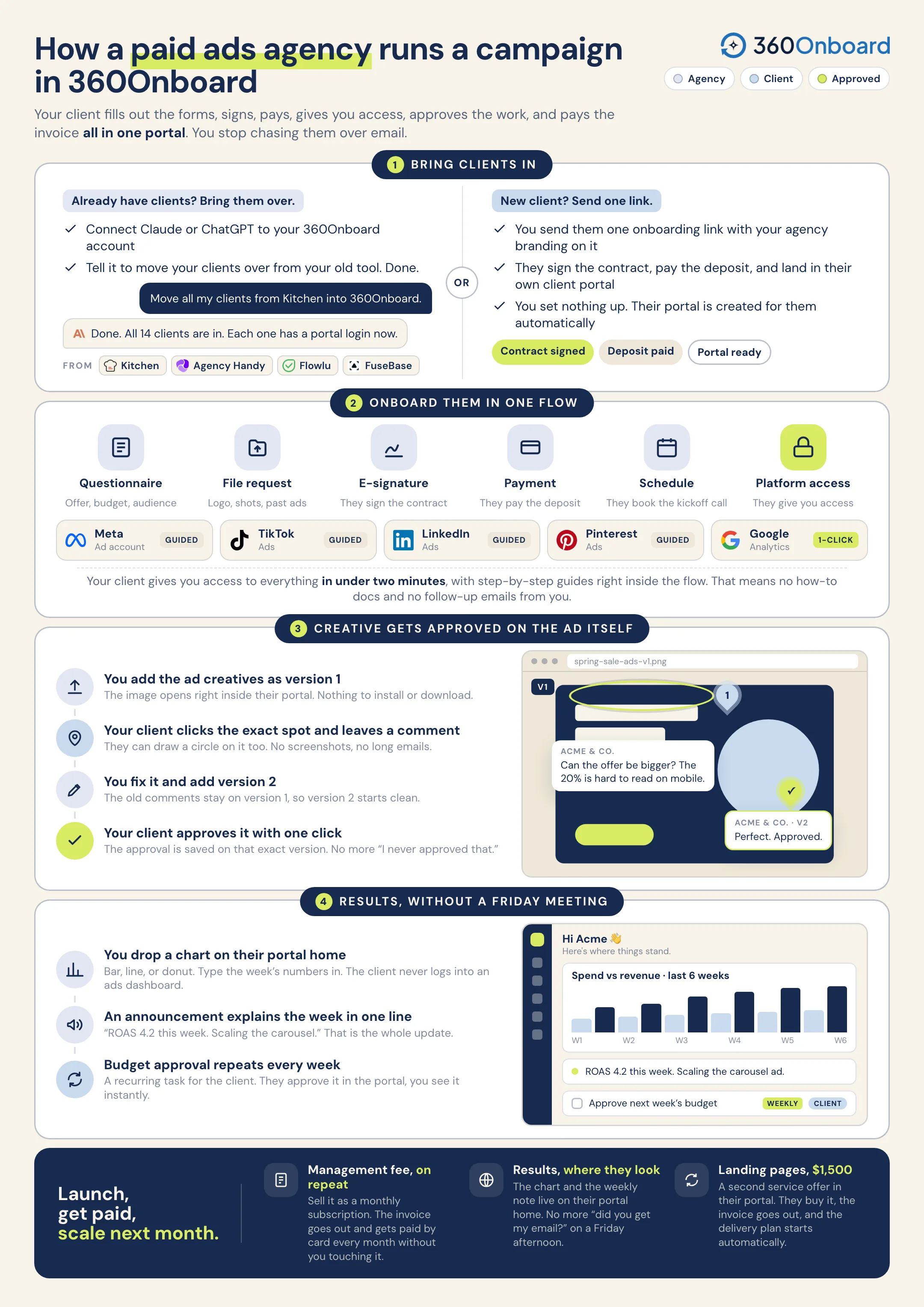
Collect the agreement, the budget, the creative, and Meta and Google access in one onboarding flow. Review ad creative where the client can draw on it, and show spend and results on their portal home.
For paid social, paid search, and performance marketing agencies.
Sample workflow
Your agency is running paid campaigns for Acme & Co. You need their Meta and Google ad accounts, the creative approved, and a weekly budget check that does not depend on an email thread.
A
Follow Acme & Co.One client. One connected workflow.
01
Start with the clients you already have.
Connect Claude or ChatGPT to 360Onboard and tell it to move your clients over from Kitchen, Agency Handy, Flowlu, or FuseBase. Or send one onboarding link and let a new client add themselves.
Move my clients over from Kitchen into 360Onboard.
On it. I’ll read your Kitchen clients and create them in 360Onboard.
Read clientsKitchen
12 found
Create clients360Onboard
12 created
Carry over detailsContacts and notes
Done
12 clients imported. Ready to onboard.
Also fromor send one onboarding link
Illustration of bring clients in for Acme & Co..
02
One link covers the contract, the deposit, and the brief.
Send one onboarding link. The client signs, pays the deposit, and answers the questions you always ask: the offer, the audience, the budget, and the launch date. Then they land in a portal with your branding on it.
Illustration of onboard in one flow for Acme & Co..
03
Ask for the ad account inside the flow.
Request the Meta ad account and Facebook Page, plus Google Ads and Analytics, with step-by-step instructions built in. The client follows the steps, and you can see what was shared.
Illustration of get ad account access for Acme & Co..
04
Let the client draw on the ad.
Share the ad image or video in the portal. The client pins a comment, draws right on the creative, and approves it. Your designer uploads the next version, and the history stays with the file.
Illustration of review the creative for Acme & Co..
05
Put the numbers where the client already looks.
Add a spend and results chart and an announcement block to the client’s portal home. Set a weekly recurring task so the client confirms the budget before you scale.
A prompt to try“Read Acme & Co.’s comments on the new ad creative, create a task for each change, and draft a note back for my review.”Review the proposed actions before sharing anything with your client.
The campaign runs, and the client can see it.
Account access, approved creative, the weekly budget check, spend and results, and the monthly invoice stay with the same client.


 Kitchen
 360Onboard


 or send one onboarding link