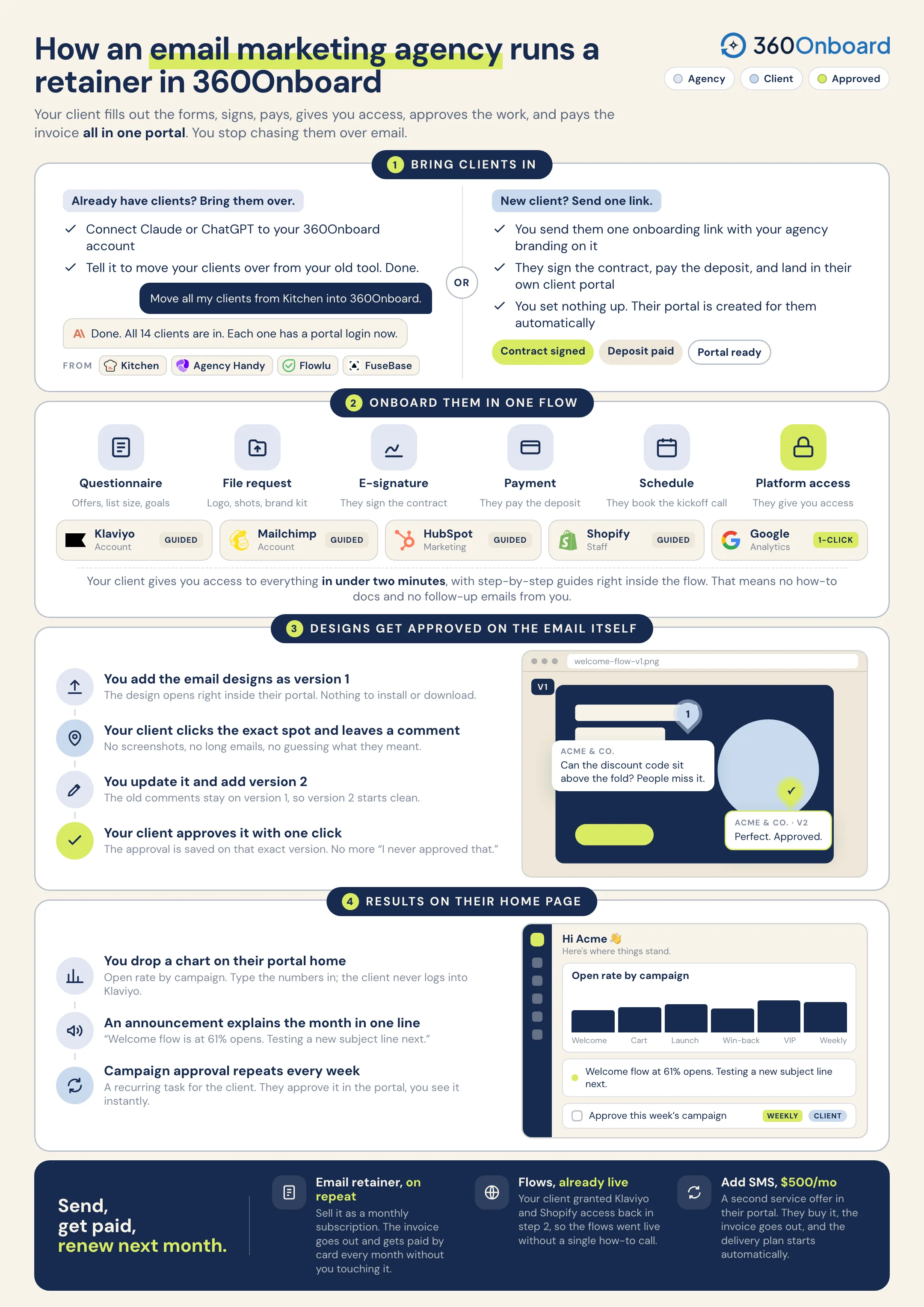
Collect the agreement, the list details, and Klaviyo or Mailchimp access in one onboarding flow. Review each email design in the portal and show open rates on the client’s home page.
Your agency sends campaigns and flows for Acme & Co. You need Klaviyo access, the brand files, a design approval before every send, and a results view the client checks on their own.
A
Follow Acme & Co.One client. One connected workflow.
01
Start with the clients you already have.
Connect Claude or ChatGPT to 360Onboard and tell it to move your clients over from Kitchen, Agency Handy, Flowlu, or FuseBase. Or send one onboarding link and let a new client add themselves.
Move my clients over from Kitchen into 360Onboard.
On it. I’ll read your Kitchen clients and create them in 360Onboard.
Read clientsKitchen
12 found
Create clients360Onboard
12 created
Carry over detailsContacts and notes
Done
12 clients imported. Ready to onboard.
Also fromor send one onboarding link

Illustration of bring clients in for Acme & Co..
02
Signed, paid, and the brand files in one go.
Send one onboarding link. The client signs, pays, answers questions about the list, the offers, and the sending schedule, and uploads logos and product photos.
Illustration of onboard in one flow for Acme & Co..
03
Guided steps for Klaviyo and Mailchimp.
Add a guided platform step for Klaviyo or Mailchimp with your instructions built in. The client follows the steps, shares the details, and you see what came back.
Your agency uses these details to request access. You approve it in Klaviyo.
Share details
Next: agency requests access.
Illustration of get platform access for Acme & Co..
04
Approval before every send.
Share the email design in the portal. The client pins comments on the layout, draws where they want a change, and approves it. The next version keeps the earlier notes.
Illustration of review each design for Acme & Co..
05
Put the results on the client’s home page.
Add a chart block with open and click rates to the client’s portal home, and an announcement for what is going out next. The client checks it without asking you for a report.
A prompt to try“Check whether Acme & Co. approved the November newsletter design and draft a reminder for my review if they have not.”Review the proposed actions before sharing anything with your client.
Every send goes out approved. The results are visible.
Platform access, approved designs, open rates on the portal home, and the monthly invoice stay with the same client.